How to Reduce Manual Finance Work With Sage Intacct
A Finance team running Sage Intacct can still spend 40 or 50 hours a month on work the system was built to handle automatically. That is not a system problem. It is a process problem. Most organisations configure Sage Intacct once, during implementation, and then keep working the same way for years, even as the software keeps adding ways to remove manual steps.
If you are wondering how to reduce manual finance work with Sage Intacct, the answer usually has less to do with buying new software and more to do with reviewing how your team currently uses what you already have. This article walks through where manual work tends to hide, which Sage Intacct and Sage AI capabilities are designed to remove it, and how to approach change without creating new problems.
Key Takeaways
- Manual Finance work often continues after implementation simply because processes were never revisited, not because Sage Intacct lacks the functionality to automate them.
- Accounts payable, month-end close, reconciliations and management reporting are the areas where manual effort tends to build up fastest.
- Sage AI tools such as embedded AP automation, Close Workspace, and intelligent matching are designed to remove repetitive data entry and checking work, though availability and rollout stage can vary by region.
- Automation should follow a clear review of the process, not replace the review. Automating a broken process just makes the broken process faster.
- Training and clear ownership of configuration are what turn available functionality into real time savings for your team.
Why Finance Teams End Up Doing So Much Manual Work in Sage Intacct
Manual work rarely appears overnight. It builds up gradually, usually for one of these reasons.
The process was designed around the old system, not Sage Intacct. Many organisations migrate processes from their previous accounting software without redesigning them. A three-step approval workflow that made sense in a legacy system might not need to exist at all in Sage Intacct.
Nobody owns configuration after go-live. Once the implementation partner finishes, day-to-day configuration often falls to whoever is comfortable logging into the admin settings. If that person leaves, newer features may never get switched on.
Releases happen quietly. Sage Intacct ships new functionality multiple times a year. Unless someone reviews release notes and maps them against your processes, new automation options can sit unused for years.
Spreadsheets fill gaps that no longer exist. A spreadsheet built to solve a reporting gap in 2021 might still be in use in 2026, long after Sage Intacct added the dashboard or report that could replace it.
Knowledge sits with one or two people. When only one team member understands how a process works in the system, everyone else defaults to manual workarounds they are confident with.
None of this is a reflection on your team. It is simply what happens when a Finance system is implemented once and then left to run on autopilot for several years.
How to Reduce Manual Finance Work With Sage Intacct in Accounts Payable
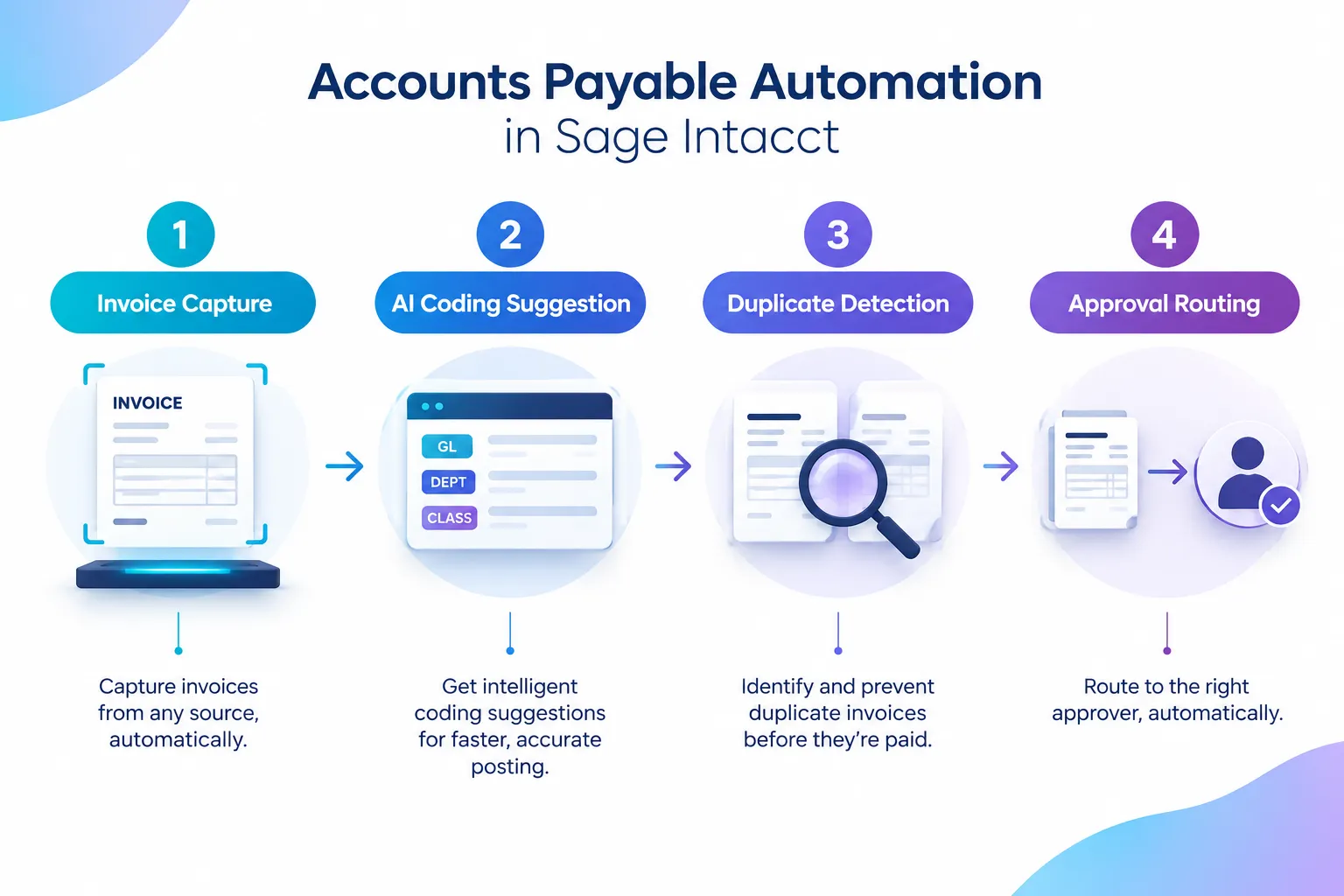
Accounts payable is usually where manual work is easiest to see and easiest to measure. Invoice entry, coding, matching and chasing approvals are repetitive by nature, which makes them good candidates for automation.
Where the manual effort usually sits
- Keying invoice data from PDFs or email attachments
- Manually coding invoices to the correct GL account, department or project
- Checking for duplicate invoices before payment
- Chasing approvers who have not actioned a transaction
- Matching purchase orders, receipts and invoices line by line
What Sage Intacct and Sage AI offer here
Sage’s embedded AP automation and AI capabilities are built to reduce exactly this kind of work. Invoice data capture, coding suggestions and duplicate detection are designed to remove the repetitive parts of processing an invoice, so your AP team spends time reviewing exceptions rather than re-typing information. Sage has described this combination as capable of close to doubling AP efficiency when automation and AI coding are used together, though the actual improvement for your organisation depends heavily on invoice volume, supplier consistency and how well coding rules are set up.
More recent releases have also introduced AI-powered import tools and intelligent matching designed to reduce reliance on spreadsheet uploads and manual line-by-line matching between purchase orders, receipts and invoices. Some of this functionality is rolling out in phases, and not every feature announced for one region is automatically live in Australia on the same timeline. Before you assume a capability is available to your team, check the current Sage Intacct Australia release notes or confirm with your Sage Intacct partner.
A practical scenario: If your AP team currently exports a spreadsheet each week to track outstanding approvals and chase managers by email, that is a strong sign the process predates automated approval routing and reminders. Automated approval workflows with built-in reminders can take over that chasing step entirely, which removes both the spreadsheet and the manual follow-up.
How to Reduce Manual Finance Work With Sage Intacct During Month-End Close
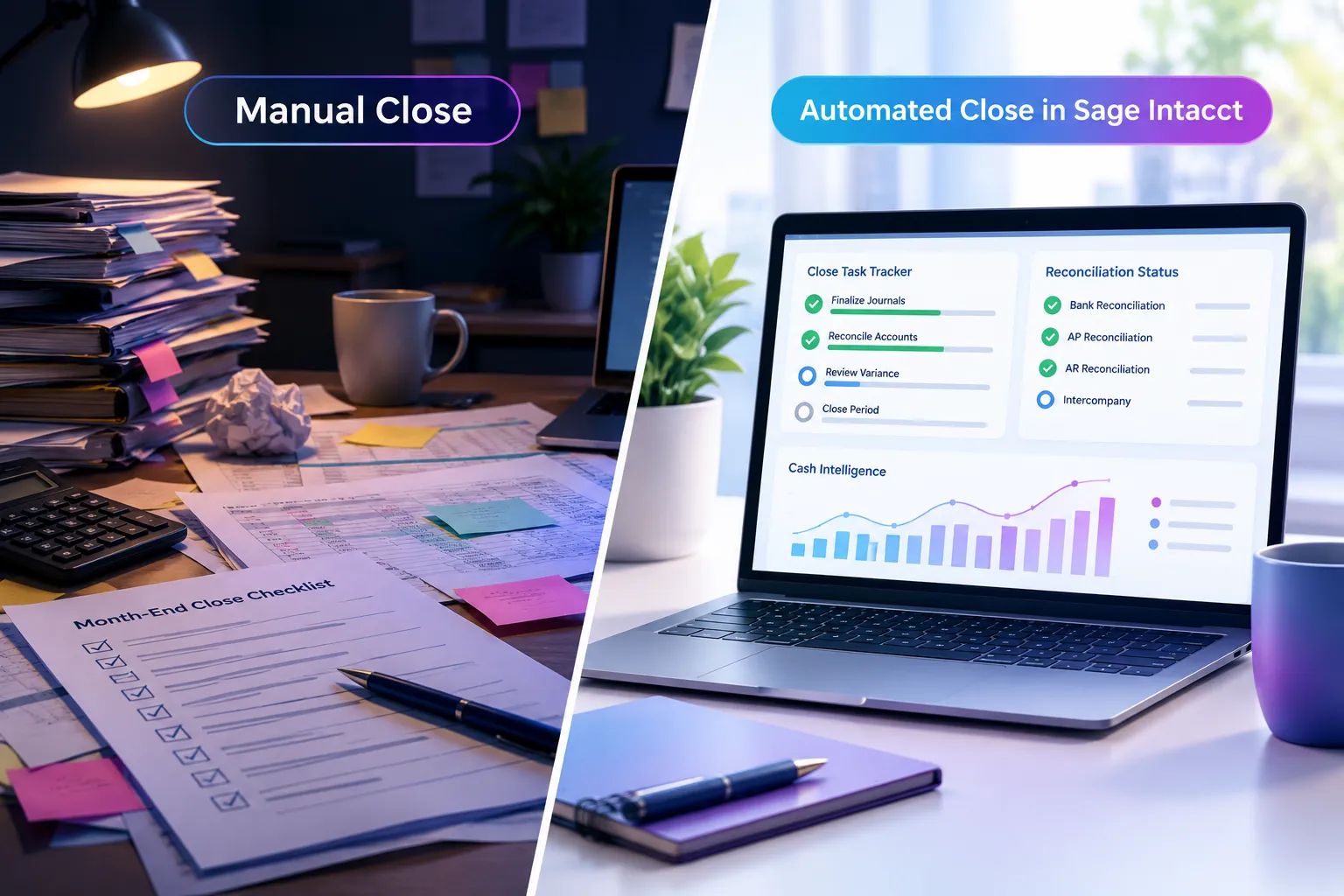
Month-end close is where manual work has the biggest visible cost, because delays here affect every other report that depends on closed financial data.
Common manual close bottlenecks
- Reconciliations tracked in spreadsheets outside the system
- Close checklists managed in email or shared documents
- Journal entries built manually for recurring accruals or allocations
- Variance analysis done by exporting data into Excel
- No clear view of close status until someone manually chases every task
Where Sage Intacct automation applies
Close Workspace and related close automation tools are designed to centralise the close checklist, reconciliation status and task ownership inside Sage Intacct, rather than across separate spreadsheets and emails. Sage has reported that AI-assisted close tools and subledger automation can reduce manual close work and shorten the close cycle by a significant margin for organisations that use them well, with some reporting cuts of up to 70 percent in manual effort for specific close tasks. That figure reflects organisations using the functionality fully, not a guaranteed outcome for every implementation, and your result will depend on how consistently your team applies the configuration.
Newer close analytics tools introduced in recent 2026 releases also give Finance leaders a more direct view of close performance over time, which reduces the need to manually track cycle times and bottlenecks in a separate spreadsheet. Cash intelligence features aimed at monitoring cash position and flow can similarly reduce manual cash tracking work for teams that currently rebuild a cash report from bank exports each week.
As with AP automation, confirm the Australian availability and rollout stage of any specific close or cash feature before building a process around it. Early Adopter functionality may need to be requested or enabled, and it may not yet match the full feature set available in other markets.
Questions worth asking your team:
- Which reconciliations still happen outside Sage Intacct, and why?
- How many close tasks rely on one person’s manual checklist rather than a shared system view?
- Could recurring journal entries be templated or automated instead of rebuilt each month?
Using Sage AI to Reduce Manual Review and Analysis Work
Reducing manual work is not only about data entry. A large amount of Finance time also goes into checking, investigating and explaining numbers after they are already in the system.
Sage Copilot and related AI agents are designed to support this kind of investigative work, helping Finance users ask questions about general ledger activity, flag unusual variances and surface anomalies without manually scanning transaction listings line by line. AI-driven risk and fraud detection tools are also designed to flag unusual invoices or transactions automatically, which reduces the manual control checks that AP and Finance teams often perform by eye.
These tools are genuinely useful, but they are not a replacement for understanding your chart of accounts, dimensions and control environment. An AI agent can only flag what looks unusual against a baseline that your configuration helps define. If your dimension structure is inconsistent, AI-based variance detection will be less reliable, not because the tool is weak, but because the underlying data is harder to interpret.
“Automation removes the typing. It does not remove the need to understand what the numbers mean.”
Reducing Manual Reporting and Spreadsheet Dependency
Reporting is often where manual work is most frustrating, because it tends to repeat every single month with very little variation in the underlying task.
Signs your reporting process still relies too much on manual work
- Management reports are built by exporting Sage Intacct data into Excel each month
- The same pivot table or formula structure gets rebuilt from scratch every period
- Dimension reporting (entity, department, program, fund) is done manually outside the system
- Different team members produce slightly different versions of the same report
What to check inside Sage Intacct first
Before assuming you need a new report, check whether your current reports and dashboards reflect how the organisation operates today. Reports built during implementation often reflect the structure and priorities of that point in time, not your current entities, departments, programs or funds.
Sage Intacct dashboards can pull live data directly from the general ledger and subledgers, which removes the need to manually refresh a spreadsheet before a board meeting. If your dimension structure (entity, location, department, project, fund) is set up well, dashboards can give department heads and executives direct access to the figures they need, which reduces the number of ad hoc report requests landing on your desk.
For not-for-profit organisations managing multiple funds, programs or grants, this is particularly relevant. Reporting by fund or program inside Sage Intacct, using dimensions rather than separate spreadsheets per program, removes a significant amount of manual reconciliation between your general ledger and your program reporting.
Questions to Ask Before Automating a Finance Process
Automation works best when it follows a clear look at the process itself. Before changing anything, ask:
- Why does this step exist? If nobody can explain why a manual check happens, it may be a leftover from an old process rather than a genuine control.
- Is this manual because of the system, or because of habit? Some manual work exists simply because that is how it has always been done, not because Sage Intacct requires it.
- What would break if we automated this? Identify genuine controls you need to preserve, separate from steps that are just familiar.
- Who understands the configuration required? Automation settings need an owner who understands both the Finance process and the system configuration.
- Is the relevant functionality Generally Available in Australia? Some AI and automation features roll out as Early Adopter or phased releases. Confirm current status before committing a process redesign to a feature that is not yet fully available to you.
Practical Next Steps for Getting More From Sage Intacct
Reducing manual Finance work is rarely a single project. It is a series of smaller reviews, applied consistently.
- List every spreadsheet your team uses regularly and note what each one is actually solving.
- Pick one process, such as AP coding or close reconciliations, and map every manual step in it.
- Check recent Sage Intacct release notes against that process to see what has changed since you last reviewed it.
- Confirm which automation and AI features are currently available to Australian organisations before planning around them.
- Identify where knowledge is concentrated in one person, and plan training to spread that understanding across the team.
If your organisation implemented Sage Intacct some time ago and has not reviewed its configuration since, a structured process review with a Sage Intacct consultant can help identify where manual work has built up and which available functionality could remove it. Dynamic Zenergy provides independent Sage Intacct consulting, process improvement, training and support remotely across Australia, including for not-for-profit organisations managing multi-entity and multi-fund reporting.
Frequently Asked Questions
Does reducing manual work in Sage Intacct always require new licensing or modules? Not always. Some automation options are available within your existing Sage Intacct subscription and simply need to be configured or enabled. Others, particularly newer AI features, may require specific editions or Early Adopter access. Check with your partner before assuming a new purchase is needed.
How long does it take to see a reduction in manual work after process changes? It depends on the process. Configuration changes to approval routing or report automation can show results within a month. Close automation and AI-based matching usually take one or two close cycles to settle in as the team adjusts.
Is Sage AI functionality fully available to Australian Sage Intacct customers? Availability varies by feature and release. Some AI and automation capabilities are Generally Available, while others are rolling out as Early Adopter or phased releases that may not yet match functionality available in the US or UK. Always confirm current Australian availability through official release notes or your Sage Intacct partner.
Should we automate a process even if we are not sure it is designed well? No. Review the process first. Automating a step that should not exist just makes an inefficient process faster, not better. Fix the design, then automate.
Can not-for-profit organisations use the same automation tools as commercial organisations? Generally yes. The underlying Sage Intacct platform and automation tools apply across sectors. The main difference is how dimensions such as fund, program and grant are configured to reflect not-for-profit reporting needs.
Do we need a consultant to reduce manual Finance work, or can our team do this internally? Many smaller changes can be handled internally once your team understands current functionality. An independent Sage Intacct consultant is most useful for a structured review across multiple processes, confirming regional feature availability, and training your team on changes.
Conclusion
Manual Finance work in Sage Intacct is usually a sign that processes have not kept pace with the system, not a sign that the system cannot do more. Accounts payable, month-end close and reporting are the three areas most likely to hold onto outdated manual steps, and each one has corresponding Sage Intacct or Sage AI functionality designed to reduce that work, provided it is configured correctly and confirmed as available in Australia.
Start with one process. Map the manual steps, check what Sage Intacct can already do, confirm current feature availability, and involve your team in understanding the change. That approach builds confidence alongside efficiency, which matters just as much as the time saved.
If you want a second opinion on where manual work is hiding in your Sage Intacct environment, a focused process review is a practical place to start.
Meta Title: How to Reduce Manual Finance Work With Sage Intacct
Meta Description: Learn how to reduce manual finance work with Sage Intacct using AP automation, close tools and AI features, plus practical steps for Australian Finance teams.
Tags: Sage Intacct, Sage Intacct consulting, Finance automation, reduce manual work, Sage Intacct AI, month-end close, accounts payable automation, Sage Intacct reporting, Finance process improvement, not-for-profit Finance, Sage Intacct Australia, Finance systems consultant
Contributing writer at Dynamic Zenergy.