Sage Intacct Certified Implementation Consultant helping Finance teams improve processes, reporting, training and system use so they can get more from Sage Intacct.
12 Signs You’re Not Getting the Most From Sage Intacct
Sage Intacct may be working perfectly well for your organisation.
Your transactions are being processed. Month-end gets completed. Reports go out. Suppliers get paid.
But that doesn’t necessarily mean you’re getting the most from the system.
Over time, Finance processes change. Teams change. Reporting requirements grow. New entities, programs or departments are added. Sage Intacct also continues to introduce new functionality.
Yet the processes created during implementation can stay largely the same.
That’s when spreadsheets start creeping back in. Manual workarounds become normal. One person becomes the person everyone asks when they need something from Sage Intacct.
None of this necessarily means your original implementation was wrong.
It may simply mean your organisation has changed since go-live and your Sage Intacct setup and processes haven’t changed with it.
Here are 12 signs worth looking for.
Key Takeaways
- Repetitive spreadsheets and manual work are often the easiest places to look for improvement opportunities.
- Reporting requirements can change significantly after implementation, so reports and dashboards shouldn’t be treated as “set and forget”.
- Month-end, Accounts Payable, Accounts Receivable, reconciliations and approvals are worth reviewing if they still involve significant manual effort.
- Integrations should reduce re-keying rather than simply move information between disconnected systems.
- Training matters. Sometimes the functionality already exists, but users don’t know about it or aren’t confident using it.
- New Sage Intacct functionality can create opportunities to improve existing processes, but not every new feature will be relevant to every organisation.
- You don’t necessarily need another module or a major project. Sometimes relatively small changes to configuration, reporting, processes or training can make a noticeable difference.
The 12 Signs You’re Not Getting the Most From Sage Intacct
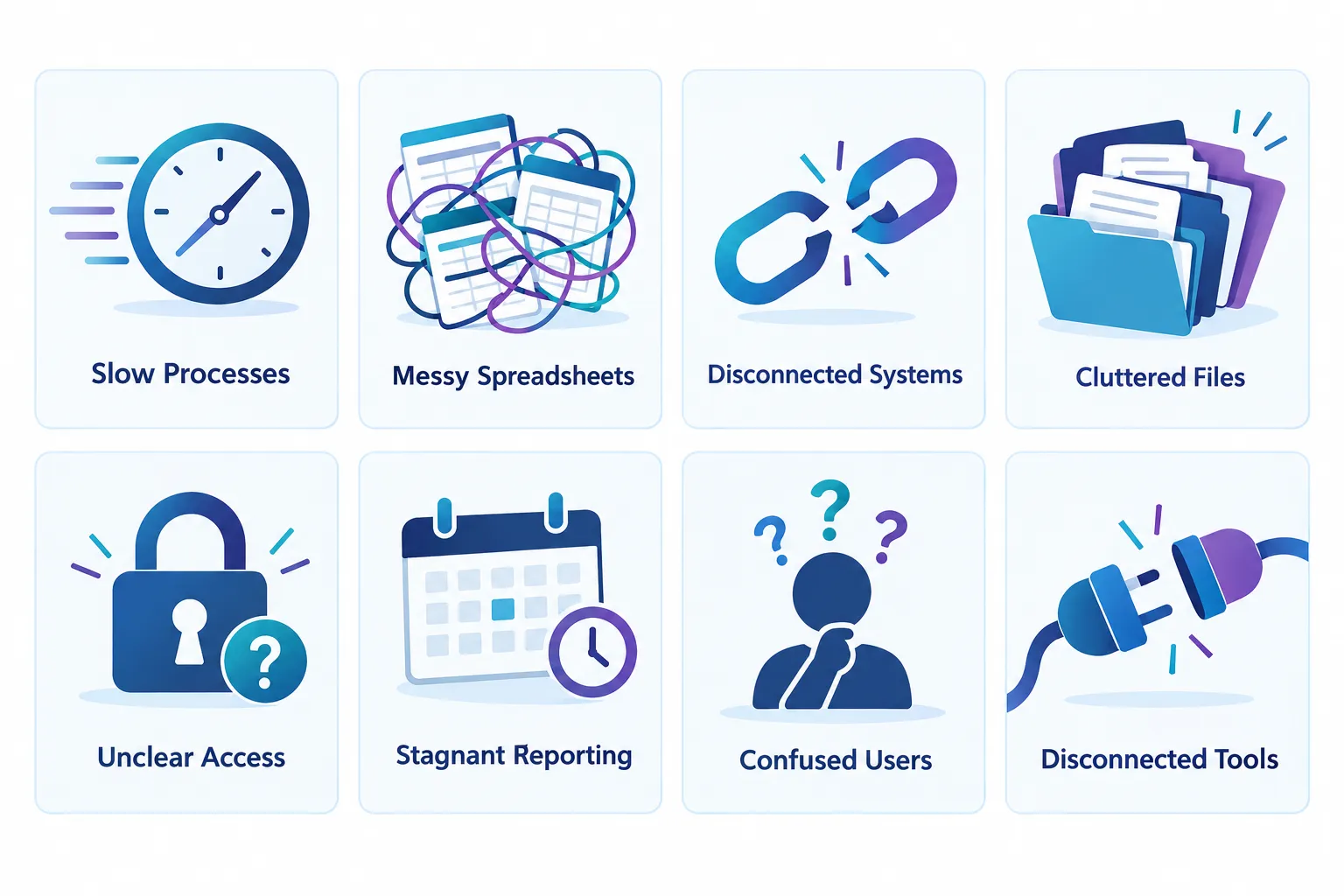
1. You rebuild the same reports in Excel every month
Excel isn’t the problem.
There will always be situations where Finance needs Excel for analysis, modelling or working with information in a particular way.
The warning sign is when your team exports the same Sage Intacct data every month, copies it into the same spreadsheet, reformats it and rebuilds the same management report.
Ask yourself:
Why are we rebuilding this report every month?
Sage Intacct provides financial reports, custom reports, dimensions and dashboards that can give users access to current information without Finance recreating the same spreadsheet every reporting cycle.
The objective isn’t to eliminate Excel.
It’s to stop using Excel for repetitive work that could potentially be handled more efficiently.
2. Managers keep asking Finance for information they could access themselves
How many questions does Finance receive each month that sound like this?
“Can you send me my department actuals?”
“Can you tell me how much we’ve spent?”
“Can you send me the latest report?”
“Can you give me the breakdown behind this number?”
If Finance is repeatedly answering the same questions, your reporting and dashboards may need another look.
Role-based dashboards and appropriately designed reports can give managers access to relevant information without giving them access to information they shouldn’t see.
For Finance, the benefit isn’t simply fewer emails.
It’s more time available to review the numbers, investigate variances and provide useful analysis instead of repeatedly distributing information.
3. Month-end still depends on spreadsheets, emails and people chasing each other
Think about your last month-end.
How did everyone know what had been completed?
Was there a spreadsheet checklist?
Did someone have to email or message people asking whether their tasks were finished?
Did one person carry most of the knowledge about what still needed to happen before the period could close?
If so, your month-end process is worth reviewing.
Sage Intacct has close management and automation capabilities designed to centralise close tasks, provide visibility over progress and help Finance identify bottlenecks earlier.
That doesn’t mean every Finance team needs to change its close process immediately.
But if month-end depends heavily on manual tracking and chasing, it’s worth asking whether there’s now a better way.
4. Accounts Payable still involves a lot of manual data entry and checking
Accounts Payable is often one of the easiest places to spot repetitive Finance work.
Someone receives an invoice.
Someone enters the information.
Someone checks it.
Someone works out who should approve it.
Someone checks for duplicates.
Someone follows up.
If a large part of that process is still manual, review what can be streamlined.
Depending on your Sage Intacct environment, configuration and available functionality, there may be opportunities to reduce manual invoice processing, checking, approvals and exception handling.
The aim isn’t to remove Finance oversight.
It’s to reduce routine processing so your team can spend more time reviewing exceptions and transactions that genuinely need attention.
5. Approvals depend on someone remembering who needs to approve what
If someone has to think:
“This invoice is over $10,000, so I need to send it to this person.”
Or:
“This department needs a different approver.”
Or:
“I’m not sure who’s approving this while Sarah is away.”
then part of your internal control is sitting in someone’s memory.
Approval workflows can help turn those decisions into consistent rules.
Depending on your process and configuration, approvals can be structured around factors such as transaction type, amount, department or other business requirements.
If your approval process changes depending on who happens to be processing the transaction, that’s a good process to review.
6. Your team re-keys information between Sage Intacct and other systems
Look for places where the same information is entered twice.
Perhaps payroll information is manually entered into Sage Intacct.
Maybe data comes from a CRM, billing system, fundraising platform, expense system or another operational system and someone manually recreates it in Finance.
Sometimes manual entry is appropriate, particularly when transaction volumes are small.
But when your team regularly downloads data from one system, manipulates it and uploads or re-enters it into another, there may be an integration or import opportunity worth investigating.
Sage Intacct provides integration capabilities, including APIs, that can connect Finance with other systems.
The question isn’t:
Can we integrate everything?
A better question is:
Where are we spending enough time re-entering information that integration would actually be worthwhile?
7. Your reporting structure still reflects how the organisation looked at implementation
Your organisation today may look very different from the organisation that originally implemented Sage Intacct.
You may have:
- new entities
- different departments
- new programs or services
- different funding streams
- new management reporting requirements
- different stakeholders
- additional locations
- new grants or projects
But has your Sage Intacct reporting structure kept up?
Sage Intacct’s dimensions can allow Finance teams to analyse information without continually expanding the chart of accounts.
If Finance is creating spreadsheet workarounds because management wants to see the organisation differently from the way Sage Intacct is currently configured, review whether your dimensions and reporting structure still make sense.
This is particularly important for not-for-profit organisations managing reporting across entities, programs, departments, funds, grants or other reporting requirements.
8. Customer follow-up and Accounts Receivable are still heavily manual
Accounts Receivable is another area where small repetitive tasks can accumulate.
Is someone maintaining a spreadsheet of overdue accounts?
Are reminders sent manually?
Does Finance have to run several reports before it can work out what needs following up?
If collections depend on a separate spreadsheet and someone’s diary, look at whether more of the process can be managed through your existing system and workflow.
The goal is not automation for the sake of automation.
It’s to make it easier for Finance to see what needs attention and focus on the accounts that require human follow-up.
9. Reconciliations still involve more manual work than you think they should
Reconciliations will always require Finance judgement.
But the question is how much time your team spends finding, matching and checking information before that judgement can happen.
If bank reconciliations, account reconciliations or other month-end checks rely heavily on manual spreadsheet matching, there may be an opportunity to improve the process.
Start by looking at the accounts that take the longest to reconcile every month.
Don’t begin with the system.
Begin with the bottleneck.
Why does this reconciliation take so long?
The answer may be configuration. It may be the quality of data coming from another system. It may be the process. It may be training.
Finding the cause is more useful than simply automating the existing process.
10. Your Finance team relies heavily on one Sage Intacct expert
You probably know this person.
Whenever someone has a Sage Intacct question, they ask them.
Whenever a report needs changing, they ask them.
Whenever something goes wrong, they ask them.
Having an experienced Sage Intacct user is valuable.
Having critical system knowledge sitting with only one person is a risk.
Ask yourself what would happen if that person went on leave for four weeks.
Could the rest of the Finance team still complete month-end confidently?
Could someone modify an existing report?
Does anyone else understand why key processes are configured the way they are?
If not, the problem may not be your Sage Intacct configuration at all.
It may be a training and knowledge-sharing gap.
11. Your team has created workarounds because they don’t know whether Sage Intacct can do something
This is one of the most useful questions you can ask your Finance team:
“What do you do outside Sage Intacct because you don’t think Sage Intacct can do it?”
The answers can be revealing.
You might hear:
“We’ve always done that in Excel.”
“I didn’t know you could do that.”
“That’s how I was shown when I started.”
“We tried that years ago and couldn’t get it to work.”
These comments don’t necessarily mean the process is wrong.
But they tell you where to investigate.
Sometimes the solution is a configuration change.
Sometimes it’s a better report.
Sometimes it’s training.
Sometimes the current process really is the best option.
You won’t know until you review it.
12. Nobody is responsible for reviewing what’s changed in Sage Intacct
This may be the biggest sign of all.
Who in your organisation regularly asks:
“What’s changed in Sage Intacct, and does any of it help us?”
If the answer is nobody, your system can gradually fall behind your Finance processes.
Sage continues to develop Intacct across areas such as reporting, Accounts Payable, close management, automation and AI-assisted Finance processes.
That doesn’t mean you should adopt every new feature.
You shouldn’t.
A new feature is only valuable if it solves a genuine problem or improves an existing process.
But if nobody reviews what’s changed, your Finance team can’t make that decision because it doesn’t know the option exists.
A short review of relevant updates a few times a year can help you identify improvements without constantly changing the system.
How Many of These Signs Apply to Your Finance Team?
You don’t need all 12 signs before reviewing your Sage Intacct environment.
Even two or three can point to worthwhile opportunities.
Start with the areas consuming the most Finance time.

Ask your team:
- Which reports do we rebuild manually every month?
- Which tasks require us to enter the same information more than once?
- Which parts of month-end create the biggest bottlenecks?
- What information do managers repeatedly ask Finance to provide?
- Which processes rely heavily on one person’s knowledge?
- Which spreadsheets would cause us problems if they disappeared tomorrow?
- What are we doing manually because “that’s how we’ve always done it”?
- When did we last review whether Sage Intacct could handle the process differently?
Don’t start by looking for features.
Start with the Finance problem.
Then work out whether better use of your existing Sage Intacct configuration, reporting, automation, integration or training could help.
You May Not Need More Software
When Finance teams identify manual processes, it’s tempting to assume the answer is another system or another module.
Sometimes it is.
But not always.
You may already have functionality you’re not using.
An existing report may need redesigning.
A dashboard may need to be created.
An approval workflow may need updating.
Users may need training.
An import could replace manual entry.
A process may simply need to be redesigned.
That’s why I prefer to start by understanding the Finance process before recommending a solution.
The objective isn’t to use every Sage Intacct feature.
It’s to use the right functionality to make Finance simpler, more efficient and easier to manage.
A Practical Way to Review Your Sage Intacct Environment
You don’t need to turn this into a major transformation project.
Start small.
Step 1: List the repetitive work
Ask your Finance team what they repeat every week or every month.
Look for spreadsheets, manual checks, re-keying, emails, reminders and workarounds.
Step 2: Identify the biggest bottlenecks
Which activities consume the most time?
Which ones regularly delay month-end?
Which processes frustrate the team?
Which depend heavily on one person?
Step 3: Review the process before the technology
Ask why the process works the way it does.
Don’t automate an inefficient process simply because you can.
Step 4: Compare the process with current Sage Intacct functionality
Find out whether your existing configuration can handle it differently.
You may discover functionality you already have, functionality that requires configuration, or an additional capability worth investigating.
Step 5: Prioritise
You don’t have to fix everything.
Start with improvements that could remove meaningful manual effort, reduce risk or give Finance better visibility.
Step 6: Include training
Configuration changes don’t automatically change behaviour.
If your team doesn’t understand the new process or why it’s better, people tend to return to the spreadsheet or workaround they’re comfortable with.
What Getting More From Sage Intacct Really Means
Getting more from Sage Intacct doesn’t mean using every feature.
And it doesn’t mean automating everything.
For me, it means asking whether your Finance team is spending its time where it adds the most value.
If your team spends hours rebuilding reports, chasing approvals, entering the same information twice or answering questions that users could answer themselves, there may be an opportunity to simplify the process.
Your Sage Intacct environment should evolve as your organisation evolves.
A process that made sense when you implemented the system three years ago may not be the best process today.
The important thing is to keep asking:
“Is there a better way to do this now?”
Frequently Asked Questions
Does having several of these signs mean our Sage Intacct implementation was poor?
No.
Processes naturally change after implementation. Your organisation may grow, restructure, introduce new reporting requirements or change the way Finance operates.
Sage Intacct also continues to develop.
The purpose of reviewing these signs isn’t to judge the original implementation. It’s to identify whether your current system and processes still match the way your organisation operates today.
Do we need to re-implement Sage Intacct?
Usually, no.
Many improvement opportunities can come from reviewing configuration, reports, dashboards, workflows, integrations, processes and training.
A larger project may be appropriate in some situations, but it shouldn’t be the automatic starting point.
Should we try to eliminate Excel?
No.
Excel remains a useful Finance tool.
The question is whether your team is using Excel because it’s genuinely the best tool for the job or because a process or report in Sage Intacct hasn’t been reviewed.
Repeatedly rebuilding the same spreadsheet every month is very different from using Excel for genuine analysis or modelling.
How often should we review how we’re using Sage Intacct?
I recommend making it an ongoing habit rather than waiting until something becomes a problem.
A more detailed review annually, supported by shorter reviews after important releases or significant organisational changes, can help prevent manual workarounds from becoming permanent processes.
Do all new Sage Intacct features apply to Australian organisations?
Not necessarily.
Functionality can depend on your subscription, modules, configuration, region and release status.
Before changing a Finance process around a particular feature, confirm that the functionality is available and appropriate for your Sage Intacct environment.
Is this review relevant to not-for-profit organisations?
Yes.
It can be particularly useful for not-for-profit Finance teams dealing with multiple entities, programs, grants, funds, departments or other reporting dimensions.
The underlying question is the same:
Is Sage Intacct helping Finance manage those requirements efficiently, or have manual workarounds gradually developed around the system?
Where to Start
Choose three of the 12 signs that sound most familiar.
Don’t try to solve them immediately.
Instead, sit down with your Finance team and ask:
Why do we still do it this way?
That one question can uncover outdated processes, training gaps, reporting limitations, configuration opportunities and repetitive work that nobody has questioned for years.
You may find that some processes are already the best option.
You may find others could be improved relatively easily.
And you may uncover larger opportunities that deserve a more structured review.
The goal isn’t to use more Sage Intacct.
The goal is to get more value from the Sage Intacct you’re already using.
Not Sure Where to Start?
My Sage Intacct Review is a fixed-scope review designed to help identify where your Finance processes, reporting, user adoption and Sage Intacct setup may have drifted apart.
We’ll focus on your priority Finance processes and identify practical opportunities to reduce manual work, improve visibility and help your team get more from Sage Intacct.
Sage Intacct Review — AUD $1,500
Book a Consultation
Frequently Asked Questions
Does having several of these signs mean our Sage Intacct implementation was poor?
No. Processes naturally change after implementation. Your organisation may grow, restructure, introduce new reporting requirements or change the way Finance operates. Sage Intacct also continues to develop. The purpose of reviewing these signs isn't to judge the original implementation. It's to identify whether your current system and processes still match the way your organisation operates today.
Do we need to re-implement Sage Intacct?
Usually, no. Many improvement opportunities can come from reviewing configuration, reports, dashboards, workflows, integrations, processes and training. A larger project may be appropriate in some situations, but it shouldn't be the automatic starting point.
Should we try to eliminate Excel?
No. Excel remains a useful Finance tool. The question is whether your team is using Excel because it's genuinely the best tool for the job or because a process or report in Sage Intacct hasn't been reviewed. Repeatedly rebuilding the same spreadsheet every month is very different from using Excel for genuine analysis or modelling.
How often should we review how we're using Sage Intacct?
I recommend making it an ongoing habit rather than waiting until something becomes a problem. A more detailed review annually, supported by shorter reviews after important releases or significant organisational changes, can help prevent manual workarounds from becoming permanent processes.
Do all new Sage Intacct features apply to Australian organisations?
Not necessarily. Functionality can depend on your subscription, modules, configuration, region and release status. Before changing a Finance process around a particular feature, confirm that the functionality is available and appropriate for your Sage Intacct environment.
Is this review relevant to not-for-profit organisations?
Yes. It can be particularly useful for not-for-profit Finance teams dealing with multiple entities, programs, grants, funds, departments or other reporting dimensions. The key question is whether Sage Intacct is helping Finance manage those requirements efficiently or whether manual workarounds have gradually developed around the system.
Sage Intacct Certified Implementation Consultant helping Finance teams improve processes, reporting, training and system use so they can get more from Sage Intacct.