7 Signs You May Not Be Getting the Most From Sage Intacct
A review of Sage Intacct usage patterns published in September 2026 made a point that most Finance leaders already suspect but rarely say out loud: many organisations quietly avoid the features they already pay for. They stick with manual workarounds instead of built-in automation, not because the system can’t do more, but because nobody has had time to check.
If that sounds familiar, you’re not alone. Sage Intacct has added significant functionality across its 2026 releases, from close automation to AI-assisted analysis to improved accounts payable controls. Yet many Finance teams are still running the same month-end checklist they built during implementation, years before most of this functionality existed.
This article walks through 7 signs you may not be getting the most from Sage Intacct, why these gaps tend to form, and what to check before assuming you need new software rather than a better use of what you already have.
Key Takeaways
- Manual month-end workarounds, disconnected spreadsheets, and avoided features are common and recognised signs of Sage Intacct underuse, not isolated problems.
- Several 2026 releases added automation for close management, accounts payable matching, cash and fixed assets, and reporting, much of it goes unused simply because teams haven’t reviewed it.
- Some newer capabilities, including the Finance Intelligence Agent and AI Gateway, are still rolling out across customers, so availability should be confirmed rather than assumed.
- Reviewing quarterly release notes against your own processes is one of the simplest ways to catch functionality your team is missing.
- Getting more from Sage Intacct is usually a process and training question first, not a system replacement question.
Why This Question Matters for Finance Teams Using Sage Intacct
Every quarter, Sage ships new functionality into Intacct automatically. Releases in February, May, and August 2026 each added meaningful capability, with another scheduled for November 2026. Your organisation gets these updates whether or not anyone asks for them.

That’s good news in theory. In practice, it creates a gap. New functionality arrives, but nobody tells the Finance team how it applies to their processes. The close checklist stays the same. The AP approval flow stays the same. The reporting pack stays the same. Three or four releases later, the system has moved forward and the process hasn’t.
This matters because the cost isn’t visible on a single day. It shows up as hours spent re-keying data, as a close that takes eight days instead of five, and as a Finance team that spends more time preparing numbers than reviewing them. None of that shows up as an error on the balance sheet. It just quietly costs time, every month, indefinitely.
Checking for 7 signs you may not be getting the most from Sage Intacct is really a way of asking one practical question: is your Finance team working with the system as it exists today, or as it existed when it was first configured?
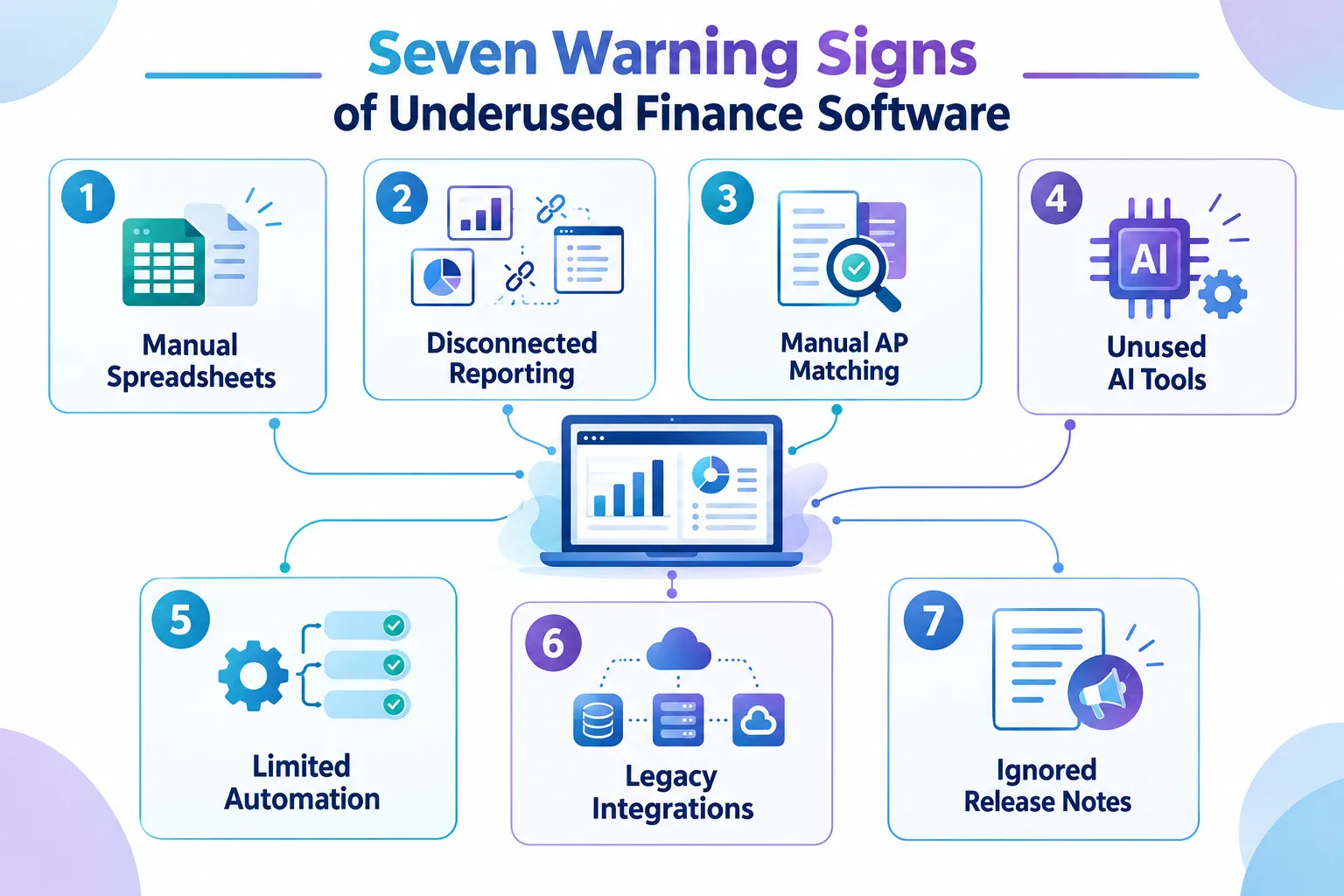
7 Signs You May Not Be Getting the Most From Sage Intacct
The signs below aren’t about ticking off every available feature. Not every organisation needs every capability Sage releases. But if several of these sound like your Finance team, it’s worth a closer look.
Sign 1: Month-End Still Runs on Spreadsheets, Not Close Automation
If your close still depends on a shared spreadsheet tracker, email chains chasing sign-offs, and manual variance checks, this is the clearest sign on this list. Sage AI Close Automation, made available across all regions including Australia in the February 2026 release, centralises task tracking, flags where the close is stuck, and supports real-time variance analysis inside Intacct itself.
A close tracker built in Excel can’t flag a bottleneck as it happens. It can only show what already went wrong, after the fact. If your close checklist still lives outside Sage Intacct, it’s worth asking whether that’s a deliberate choice or simply the way things have always been done.
Sign 2: Analysis Still Means Exporting Data Somewhere Else
Many Finance teams export Intacct data into Excel, Power BI, or another tool every time they need analysis beyond a standard report. That’s not wrong in every case, but it often points to a missed option.
The February 2026 release introduced the Sage Intacct Data Cloud integration with Snowflake, giving organisations secure, direct access to their Intacct data for advanced analytics and data-science use cases. This sits alongside native reporting rather than replacing it, and it’s aimed at analysis that goes beyond what dashboards and standard reports can do. If your team regularly exports large data sets for deeper analysis, this is worth understanding properly before assuming a manual export is the only path.
Sign 3: Nobody on the Team Uses the Finance Intelligence Agent or AI Gateway
The May 2026 release (2026 R2) introduced the Finance Intelligence Agent and AI Gateway, built to help Finance teams work faster and turn operational data into checkable insight rather than another black-box output. Partners have called these some of the more significant additions of the year for data-based decision-making.
A caution here: rollout of the Finance Intelligence Agent has been described as happening progressively across customers through the middle and later part of 2026. If you haven’t seen it in your environment, that may simply mean your organisation is still in the rollout queue rather than missing the feature entirely. Check with your Sage Intacct partner or account contact to confirm what’s active in your instance before assuming it’s unavailable.
Sign 4: Accounts Payable Still Relies on Manual Checks and Basic Matching
If your AP team is still eyeballing invoices against purchase orders, or using only basic two-way matching, you’re likely missing meaningful risk reduction. The 2026 R2 and R3 releases added AI-driven, line-level, three-way matching across purchase orders, receivers, and vendor invoices, along with anomaly detection for unusual transaction amounts, unrecognised vendor email addresses, and multiple flags on a single transaction.
This isn’t about removing human review from AP. It’s about directing that review toward the transactions that actually carry risk, instead of spreading attention evenly across every invoice regardless of whether it looks unusual.
Sign 5: Reporting Still Means Disconnected Spreadsheet Exports
A recurring pattern in Finance teams: someone pulls a report from Intacct, pastes it into Excel, reformats it, and repeats the whole process next month from scratch. The 2026 R3 release introduced Smart Excel reporting as an Early Adopter feature, keeping Sage Intacct financial data linked directly to Excel so reports refresh rather than being rebuilt.
Because this is an Early Adopter feature, it may need to be requested or enabled rather than appearing automatically, and availability should be confirmed for your environment. If your reporting pack still means copy, paste, and reformat every month, it’s a reasonable area to raise with your Sage Intacct partner.
Sign 6: Cash, Fixed Assets, and Approvals Still Run the Old Way
The May 2026 release expanded automation in several operational areas: cash management, fixed asset controls covering depreciation, asset changes, corrections and capitalisation rules, and custom purchasing approval workflows. Project-based organisations also gained R3 improvements to billing, including clearer visibility into billing groups through invoice previews and automated retainage withholding rules.
None of these are flashy headline features, which is exactly why they’re easy to miss. If your purchasing approvals still follow a single fixed path regardless of amount or department, or your construction and project billing still involves manual retainage calculations, these additions are worth a look.
Sign 7: Nobody Reviews the Release Notes, and Integrations Still Use the Old API
This last sign is less about a single feature and more about a habit. Sage ships quarterly release notes with each automatic update, February, May, August, and another due in November 2026. If nobody on your Finance or IT team reviews these against your own processes, new functionality simply passes by unnoticed.
The same pattern shows up in system architecture. All new Sage Intacct objects and features are now released only through the REST API, not the legacy XML API, with the REST API and MCP gateway positioned as the foundation for connecting Intacct to external analytics tools and AI applications. If your integrations were built years ago on the older API and nobody has revisited that decision, your organisation may be cut off from newer functionality by design, not by choice.
Why These Gaps Happen in Finance Teams
None of the seven signs above point to a poorly run Finance team. They point to a common and understandable pattern.
- Implementation configured the system for a point in time. Processes were built around what Intacct could do then, not what it can do now.
- Releases happen automatically, but awareness doesn’t. New functionality arrives without a tap on the shoulder telling you it’s there.
- Training often stops after go-live. Few organisations schedule a refresher every time Sage adds a major capability.
- Knowledge sits with one or two people. If the person who understands the system’s full capability moves on, so does that knowledge.
- Manual workarounds feel safe. A spreadsheet process that works, even badly, often feels lower-risk than changing something that “isn’t broken.”
That last point deserves a moment of attention. A process can run without errors and still be costing your team hours every month that could go toward analysis instead of preparation. “Not broken” and “not costing you time” aren’t the same thing.
Questions to Ask Before You Change Anything
Before adjusting a process or turning on a new feature, work through these questions with your team:
- Which parts of our month-end close still happen outside Sage Intacct, and why?
- Has anyone reviewed the release notes from the last three quarters against our own workflows?
- Where does our AP team spend the most manual checking time, and would better matching reduce that?
- Do our reports refresh automatically, or does someone rebuild them from scratch each period?
- Is anyone on the team using AI-assisted analysis tools inside Intacct, and if not, why not?
- Are our integrations built on the current API, or on something older that limits what we can connect to in future?
- If the person who knows Sage Intacct best left tomorrow, who would carry that knowledge?
None of these questions have a universally right answer. The right answer depends on your organisation’s size, structure, and how your Finance team is set up.
Practical Next Steps to Get More From Sage Intacct
Getting more from Sage Intacct rarely means buying something new. It usually means reviewing what’s already available against how your team currently works.
A sensible starting point:
- Pull the last three quarters of Sage Intacct release notes and map them against your current processes.
- Ask your Finance team where manual work still happens, without assuming you already know the answer.
- Check which Early Adopter and newly rolled-out features, Smart Excel reporting, the Finance Intelligence Agent, AP anomaly detection, are active in your environment.
- Review how your integrations are built, and whether they’re positioned to use current and future functionality.
- Schedule a short refresher training session focused on what’s changed, rather than a full re-training.
An independent Sage Intacct consultant can help with this review, particularly where the answer isn’t obvious or where internal time is limited. For Australian not-for-profit and mid-market organisations running multi-entity environments, this kind of review often uncovers functionality that’s been sitting unused since implementation, simply because nobody had the time to look.
FAQ
How do I know if we’re underusing Sage Intacct, rather than just having a different process preference? Look at where time is spent, not just whether the process technically works. If your team spends hours each month on manual exports, re-keying, or chasing approvals, that’s usually a sign of underuse rather than a deliberate process choice.
Are all the features mentioned in this article available in Australia right now? Most have been confirmed as available across all regions, including Close Automation and the Data Cloud integration. Some, like the Finance Intelligence Agent, are rolling out progressively, and Smart Excel reporting is an Early Adopter feature. Confirm current availability with your Sage Intacct partner before planning around any specific capability.
Do we need to upgrade or buy anything extra to access these features? Generally no, since these are part of Sage Intacct’s regular release cycle rather than separate purchases. Some features need to be enabled or configured, and Early Adopter features may need to be requested.
How often should we review new Sage Intacct functionality? Reviewing release notes each quarter, alongside your own process checklist, is a reasonable cadence. It doesn’t need to be a large project, a short review by someone who understands both Finance and the system is usually enough to flag what’s relevant.
Does getting more from Sage Intacct always mean more automation? Not always. Sometimes the answer is better reporting, clearer dimension structures, or training that helps the team understand functionality that’s already there. Automation is one outcome among several, not the only goal.
What’s the risk of ignoring these signs? Nothing catastrophic happens overnight. The risk is slower, in the form of ongoing manual work, inconsistent processes across entities, and a Finance team that spends more time preparing numbers than analysing them.
Final Thoughts: 7 Signs You May Not Be Getting the Most From Sage Intacct
Most Finance teams aren’t underusing Sage Intacct because of a lack of effort. They’re underusing it because the system has moved forward through several quarterly releases while day-to-day processes stayed exactly where they were on go-live day.
Recognising even two or three of the 7 signs you may not be getting the most from Sage Intacct covered above is a reasonable starting point for a conversation with your team, not a signal that something has gone wrong. The practical next step is simple: review what’s changed, check what’s active in your own environment, and ask your team where manual work still happens that shouldn’t need to.
If that review feels like more than your team has time for right now, an independent Sage Intacct consultant can work through it with you, remotely and without disrupting your current close cycle.
Meta Title: 7 Signs You May Not Be Getting the Most From Sage Intacct
Meta Description: Spot the 7 signs you may not be getting the most from Sage Intacct, from manual month-end work to unused AI and reporting features in 2026.
Tags: Sage Intacct, Sage Intacct consultant, Sage Intacct Australia, Sage Intacct optimisation, Finance automation, Sage Intacct reporting, Sage Intacct AI, month-end close, Sage Intacct training, Finance process improvement, not-for-profit Finance, multi-entity accounting
Contributing writer at Dynamic Zenergy.